Tag Archives: GeoGebra intersect two objects

GeoGebra Tutorial 28 – Animation and Hypocycloids

This is the 28th tutorial in the GeoGebra Intermediate Tutorial Series. In this tutorial, we are going to construct a hypocycloid using GeoGebra. A hypocycloid is a special curve generated by the trace of a fixed point on a small circle that rolls within a larger circle. It is comparable to the cycloid but instead of the circle rolling along a line, it rolls within a circle.
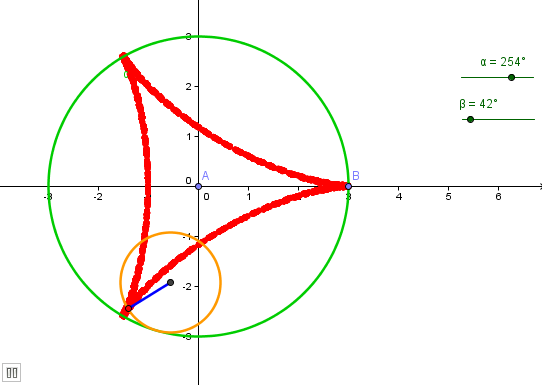
In the tutorial below, menu commands, located in the menu bar, are in green bold text, and submenus are denoted by the > symbol. For example, Options>Labeling> New Points Only means, click the Options menu, choose Labeling from the list, then select New Points Only. The tool texts are colored orange. For example, New Point means the new point tool. Texts typed in the input box are colored blue. Continue reading

Advanced GeoGebra Tutorial 4 – Constructing a Customized Tool I

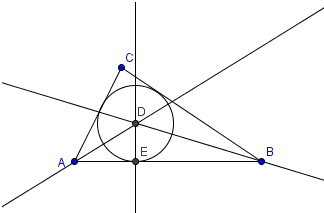
If we want to create a mathematical object (not included in the toolbar) many times, we may want to create our own tool.  This will save us the trouble of creating similar mathematical objects repeatedly.  In this example, we are going to create our own tool – the circumcircle of any triangle.  A circumcircle is a circle that passes through the three vertices of any triangle.

First we will construct a circumcircle of a triangle, and then we will use it to construct our customized tool. Continue reading

GeoGebra Essentials 6 – Sliders and Rhombuses

This is the sixth tutorial in the GeoGebra Essentials Series. If you are not familiar with GeoGebra, you may want to read the Introduction to GeoGebra post and earlier tutorials. They contain the pre-requisites of this tutorial.

In the tutorial below, menu commands, located in the menu bar, are in brown bold text, and submenus are denoted by the > symbol. For example, Options>Labeling> New Points Only means, click the Options menu, choose Labeling from the list, then select New Points Only. The tool texts are colored orange. For example, New Pointmeans the new point tool.

In this tutorial, we will construct a rhombus using the slider tool.  A slider (see figure below) is a dynamic graphical representation of a number.

As we can see in the figure below, we have two types of slider – number and angle sliders.  Slider s is the side length of the rhombus ABCB’. Slider t on the other hand is the measure of angle A.

In doing the tutorial, we  learn the following:

  • Use the tools we have discussed in previous tutorials – Segment between Two Points tool, Parallel Line tool,and Intersect Two Objects tool
  • Learn how to use new tools including Angle with Given Size and Segment with Given Length from Point . Continue reading
Related Posts Plugin for WordPress, Blogger...