Free Whiteboard Software
If you are using computers during lectures, or fond of screencasting, you would probably need a software where you could scribble. You would need a blackboard or a whiteboard software. There are several free software that you could use – you could use PaintBrush or Flash Player.
One of my latest internet dig, however, would also be a good choice. It is called Classic WhiteBoard. It is available in Windows, Linux and Mac platform. Its screenshot is shown below.
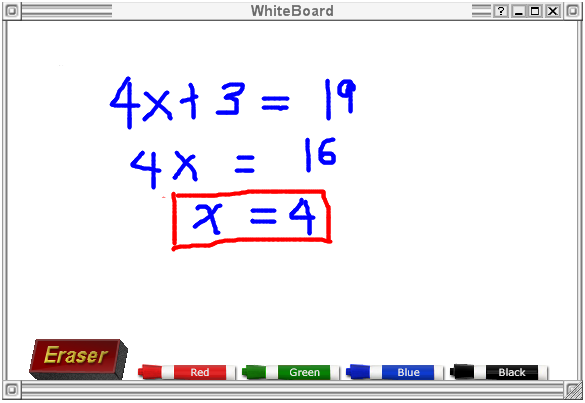
What I love about this software is that it is very easy to use (click here to view screencast tutorial) and it really looks like a whiteboard. It works very much like PaintBrush. One of the disadvantages, though, is that it has only four colors.
Update: I have uploaded a better whiteboard software added with math tools such as compass, straightedge, triangle and protractor here.